ZeroPop for iPhone Duo
Two pages. One card. Every detail.
ZeroPop is built for iPhone Duo. Open it and every screen becomes a spread designed around the fold: the card on one page, everything about it on the other. Close it and the whole app is on the cover screen.

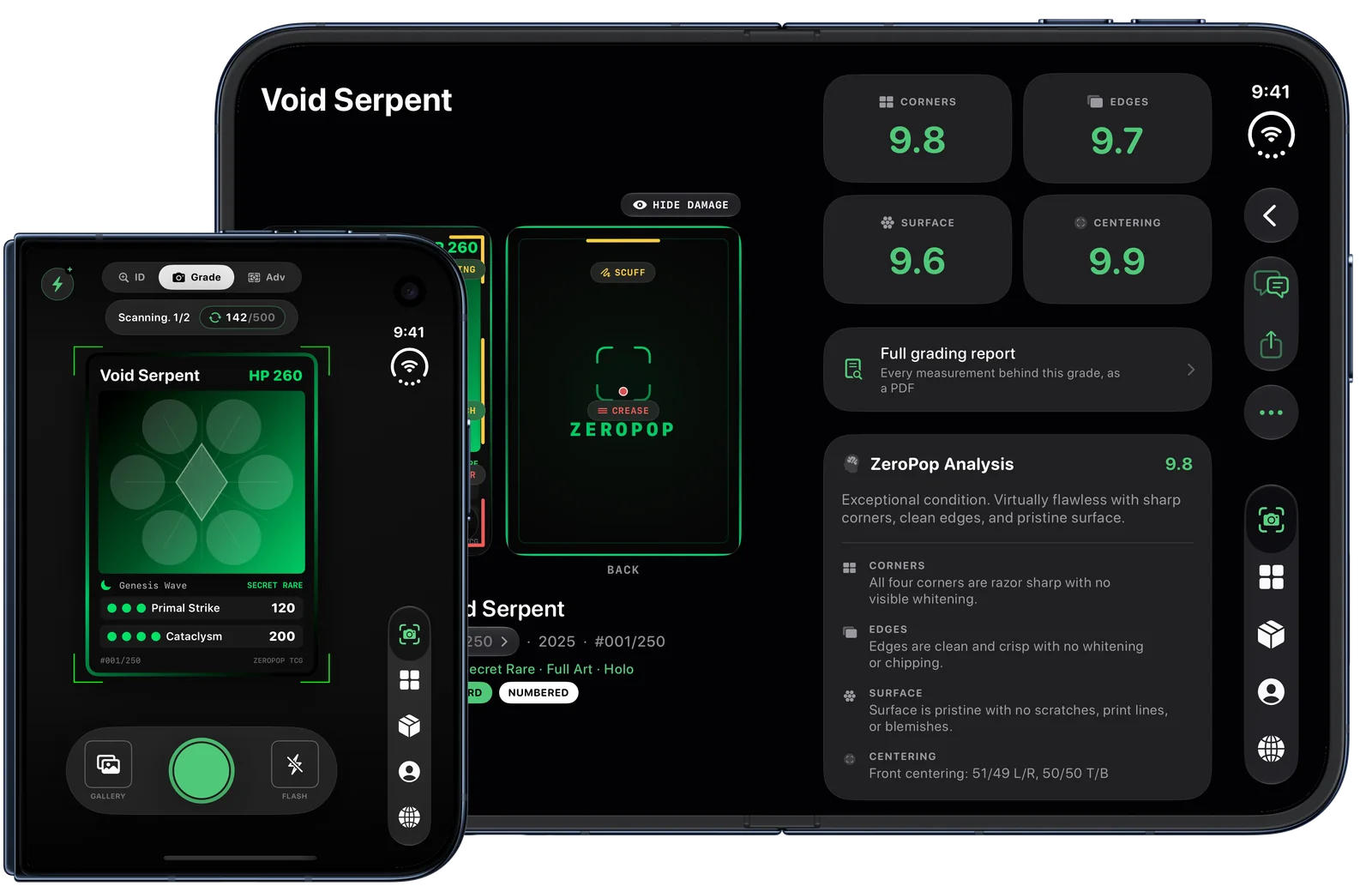
Two real pages, not a stretched phone
Nothing on the crease
Full app on the cover screen
A bigger screen is not the point. Two pages are.
Stretching a phone app across a foldable puts a seam through the middle of whatever you are looking at. ZeroPop does the opposite: it treats the open phone as a book. Each screen is split where the hinge is, each half is laid out for its own page, and nothing you need to read or tap ever sits on the fold.
Open a graded card and it lays out like a report on a desk: your front and back photos with the defect markers on the left page; the four sub-grades, the estimated PSA, BGS and CGC grades and the full analysis on the right. You never scroll past the card to read about it.
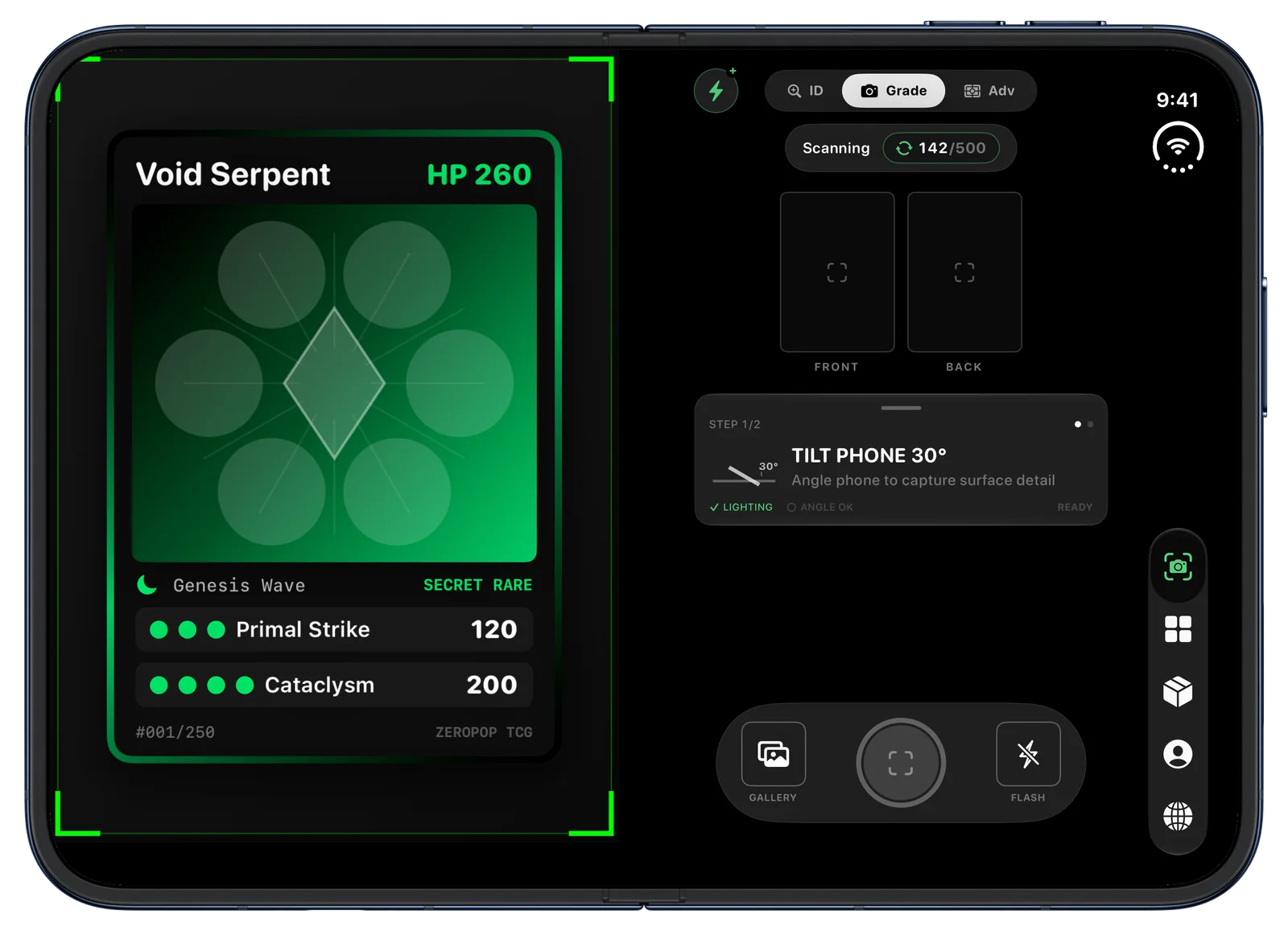
A scanner built for the fold
The camera gets a whole page to itself and the card guide sits inside it, never across the hinge. The shutter, the front and back capture slots and the step instructions live on the facing page, where your thumb already is.
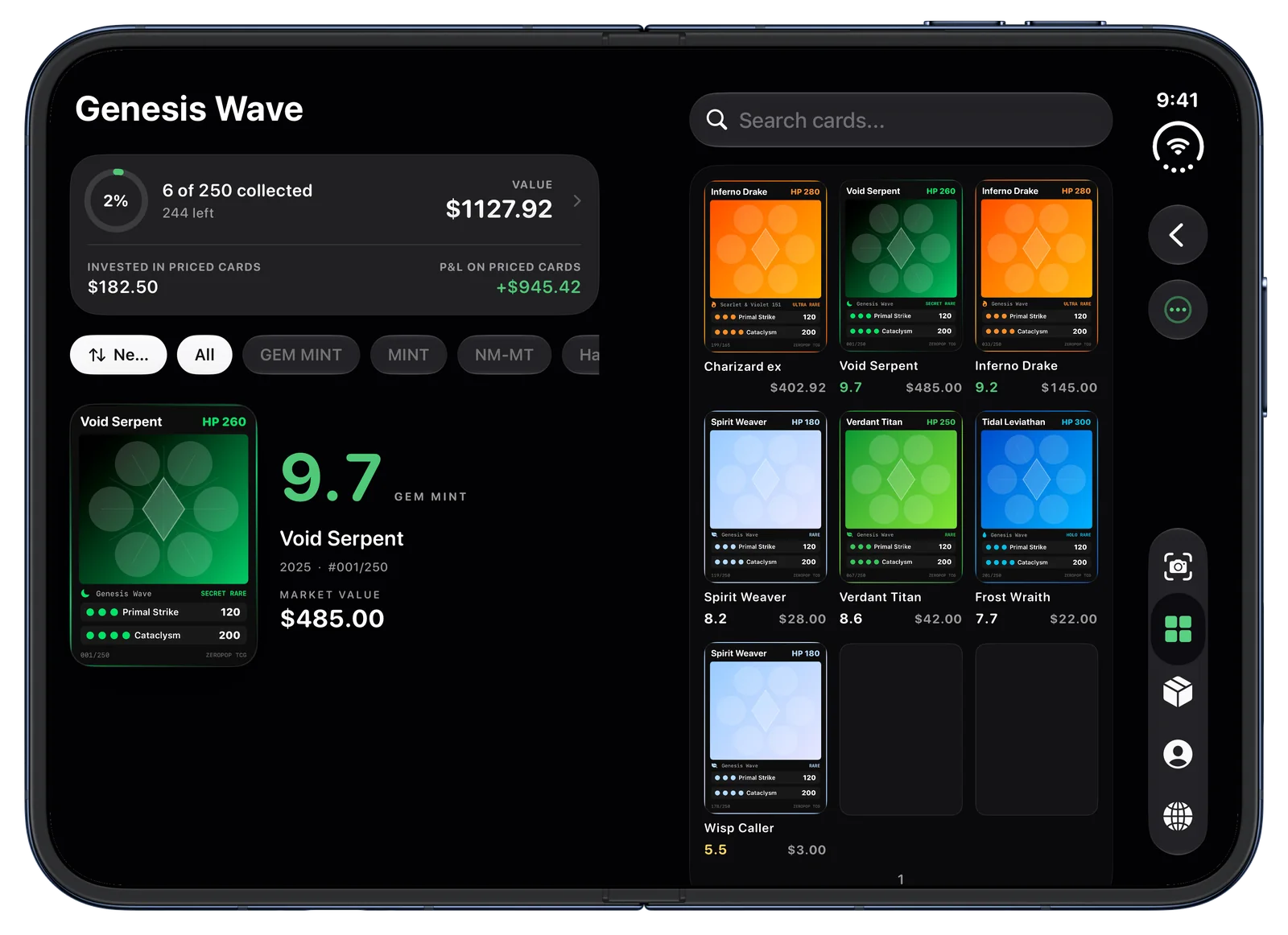
Your binder, opened up
A binder opens the way a real one does. The cover page carries the set progress, value and the card you are looking at; the facing page is the cards themselves, nine pockets to a page, with search right above them.
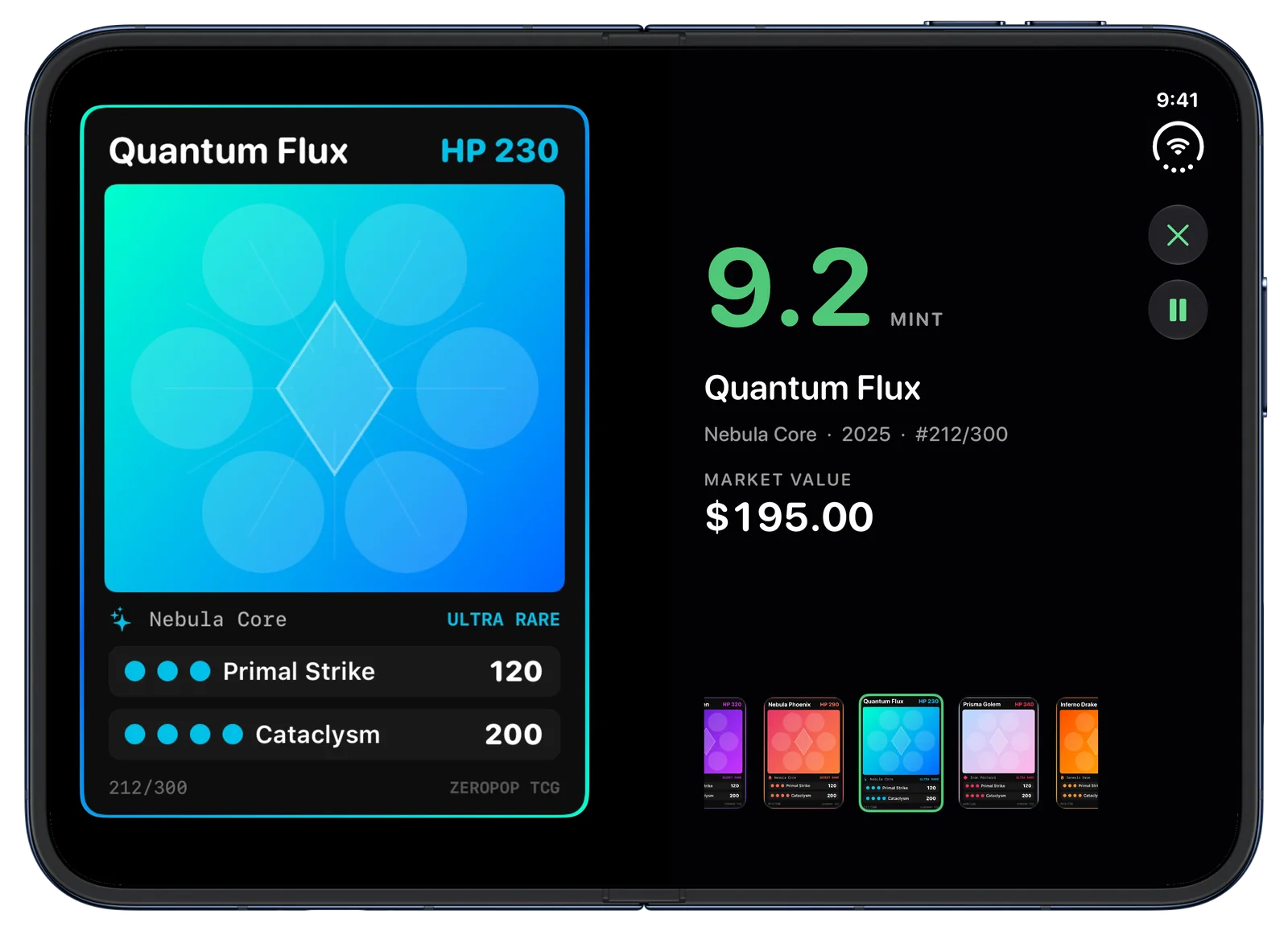
Your table's new display case
Counter Display turns the open phone into a stand for your best graded cards. Each card gets the big screen with its grade, name, set and value beside it, and the display turns to the next card on its own. Set it on the table at a card show or a trade night and let the collection speak.
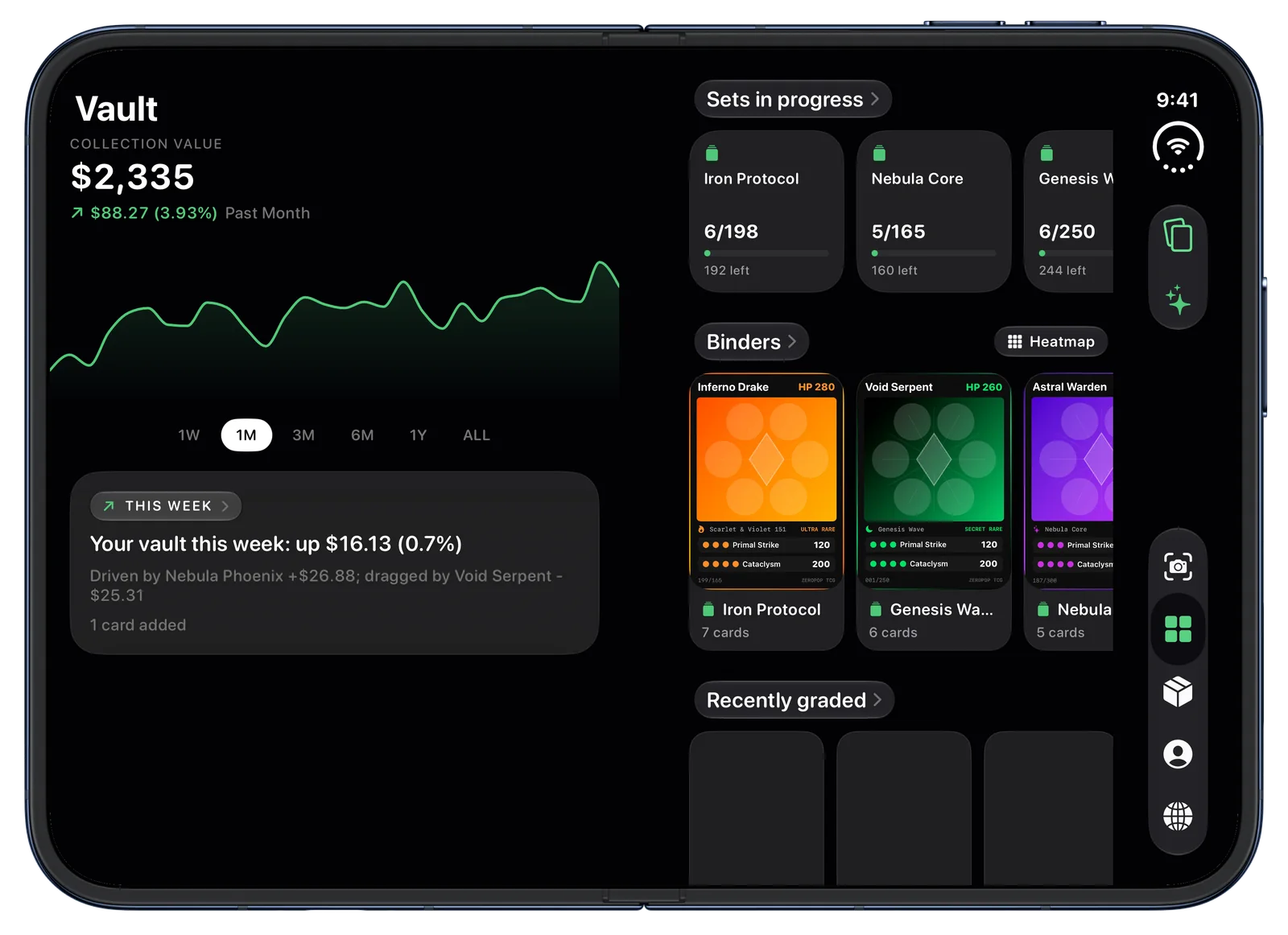
Your collection, valued live
The Vault puts your collection value and its chart on one page and your sets, binders and recent grades on the other, so the number and the cards behind it are in view together.
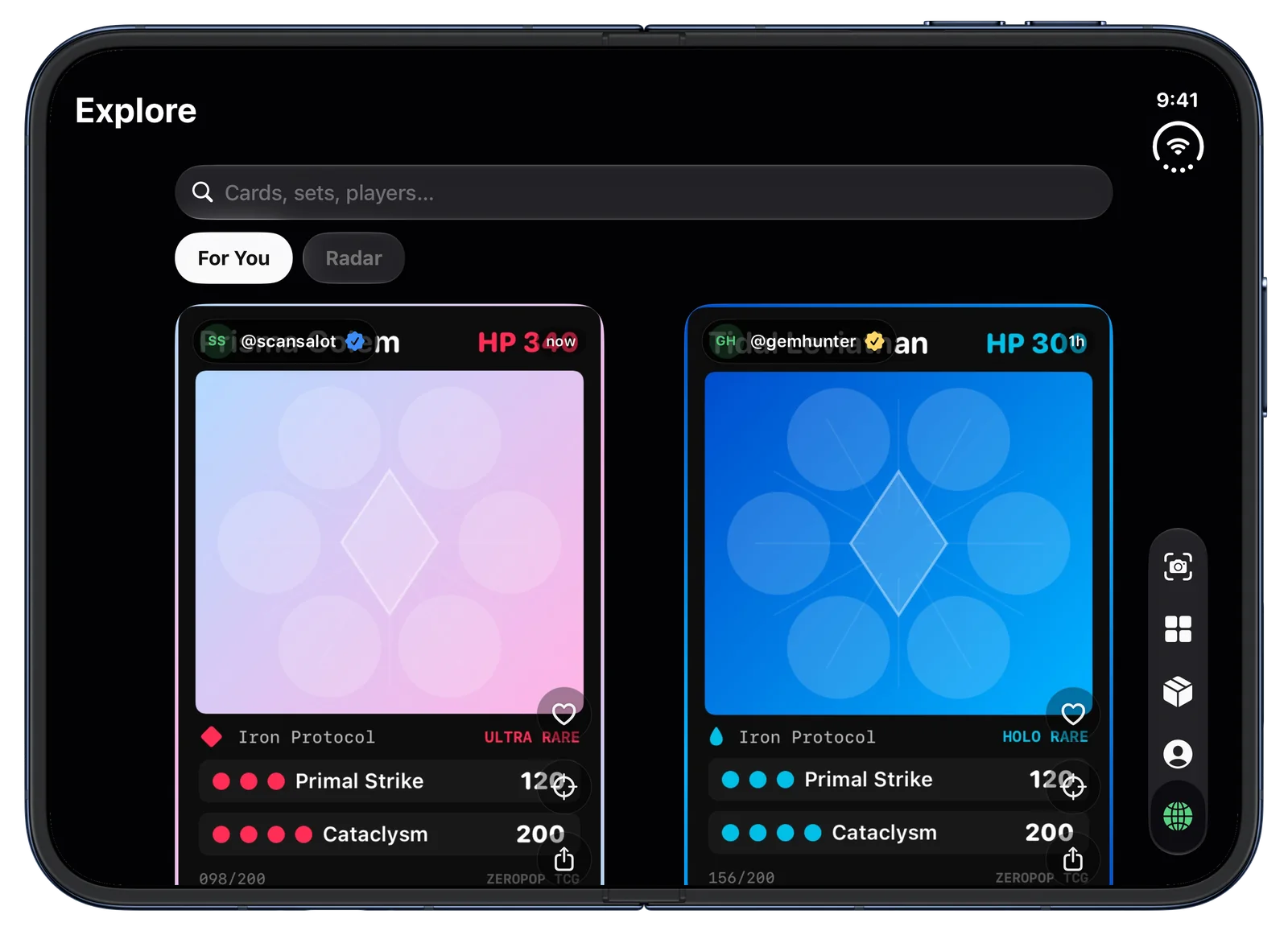
Two pages of pulls
The community feed runs in two columns, one per page, sized evenly on either side of the crease, so you see twice the pulls without a card ever folding in half.
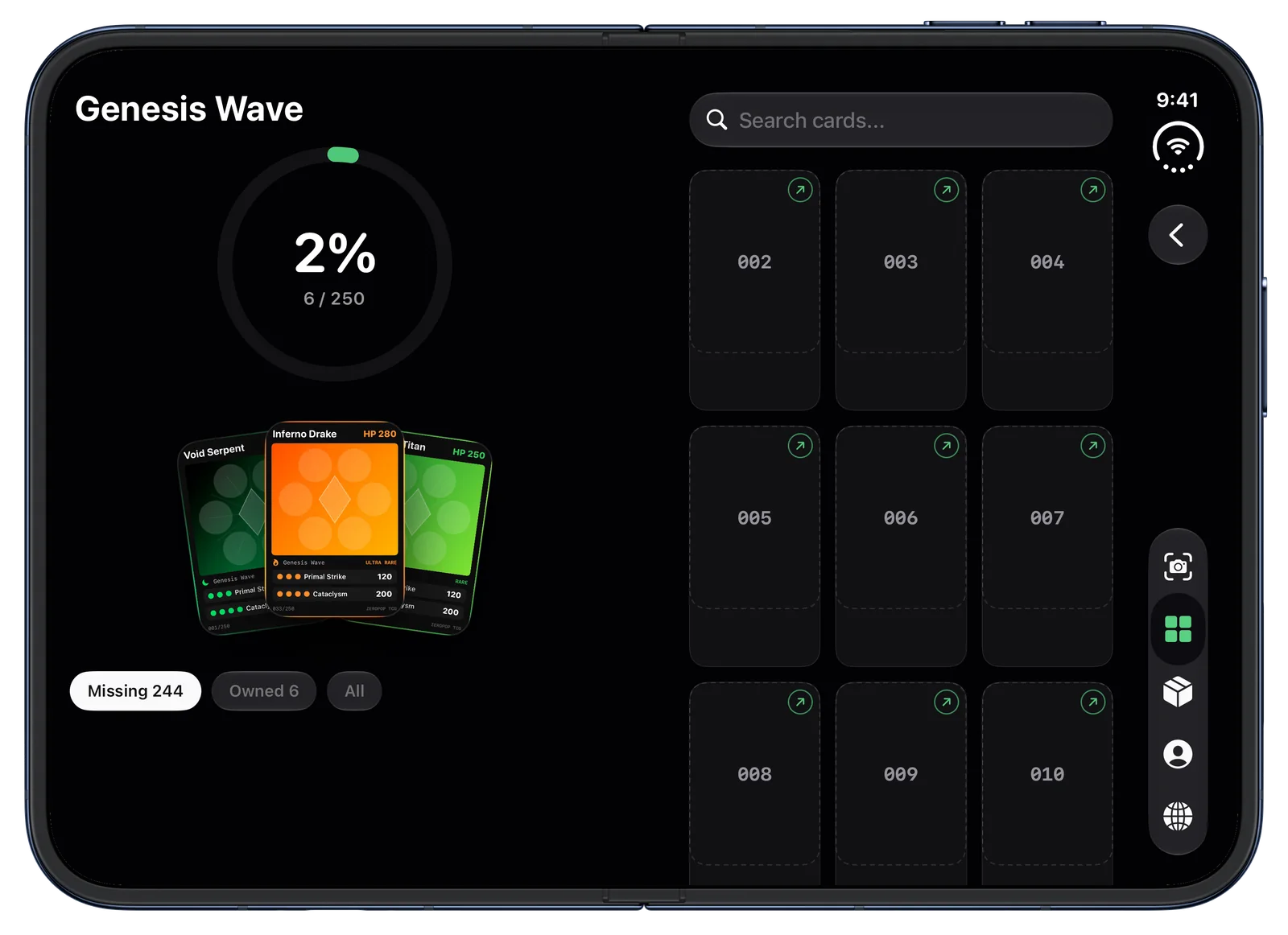
Complete every set
A set opens with its cover on the left, completion ring and your best cards from it fanned out, and the checklist on the right, so you always know exactly what you are missing.
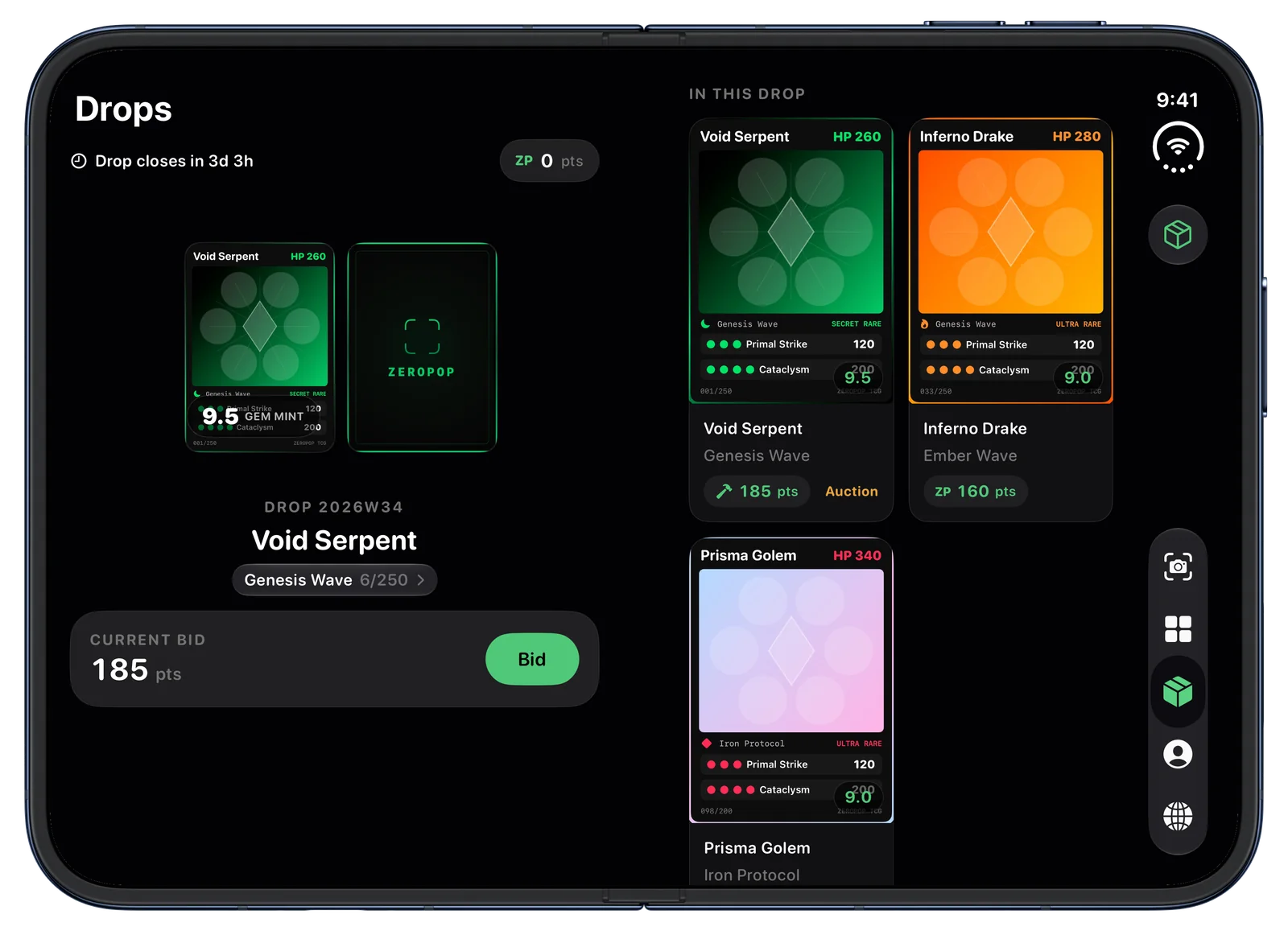
Win real cards with points
In Drops the headline card gets its own page, big enough to read, with the bid right under it. The rest of the drop sits on the facing page.
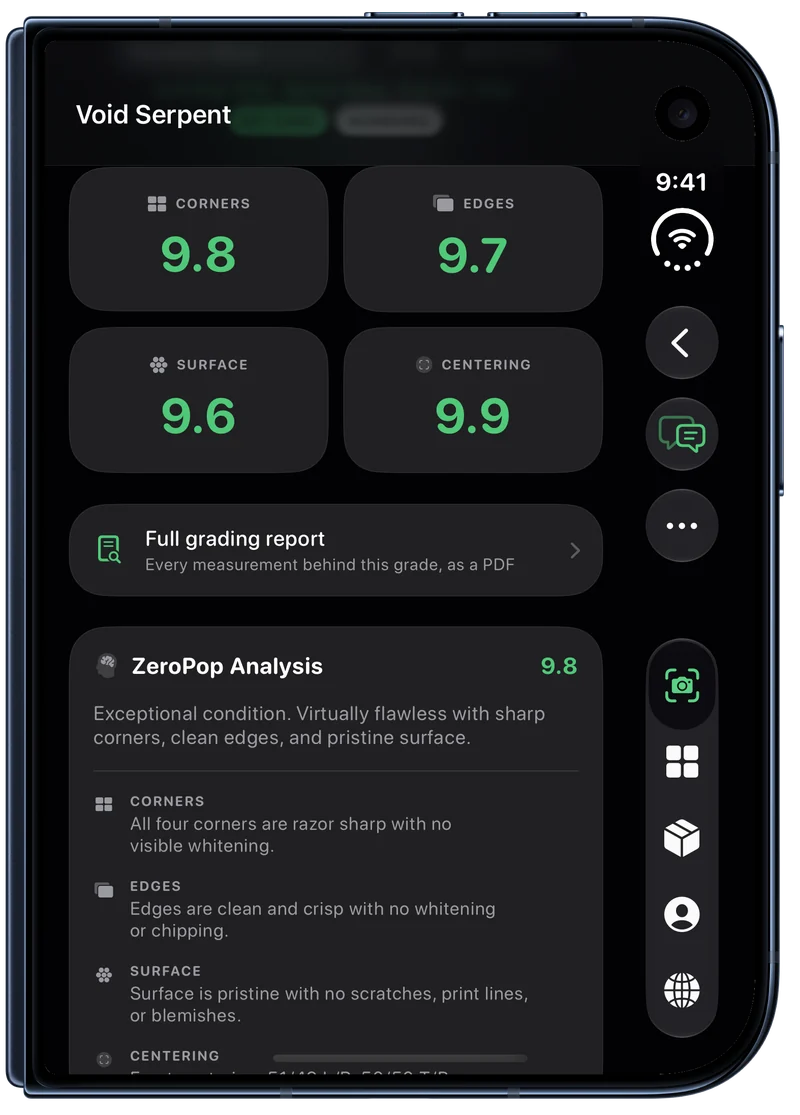
Closed, it is all still there.
The cover screen runs the complete ZeroPop app: scan and grade a card one-handed, check a price at a show table, flip through your binders. Open the phone and the same screen you were on unfolds into its two-page spread.
ZeroPop on iPhone Duo, answered
+Does ZeroPop support iPhone Duo?
Yes. ZeroPop has a dedicated iPhone Duo layout. Open, every main screen becomes a two-page spread laid out around the fold: card detail, the scanner, binders, sets, the Vault, Drops, the community feed and your profile. Closed, the cover screen runs the full ZeroPop app.
+Is it just the iPhone app made bigger?
No. On the open phone each screen is split into two pages that meet at the crease, each designed for its half: the card on one page and its report on the other, the camera on one page and the controls on the other. Nothing important is ever placed across the fold.
+Can I scan and grade cards on iPhone Duo?
Yes, on both screens. Open, the camera viewfinder takes one page and the capture controls take the other, and the card guide always sits fully inside the camera page. Closed, scanning works exactly as it does on any iPhone. Grades come from the same AI grading pipeline either way.
+What does ZeroPop do when iPhone Duo is propped up on a table?
Half up on a table, the standing half becomes a display and the half on the table holds everything you touch. A graded card stands with its grade and value beside it while the full report scrolls below; Explore shows the newest pulls one at a time up top with the feed underneath; and Counter Display turns the phone into a stand for your best graded cards, moving to the next one on its own.
+Does iPhone Duo support cost extra?
No. It is part of the same free ZeroPop app, with the same plans as every other iPhone. Your cards, binders and grades are the same on every device you sign in on.
+Which card games does ZeroPop support on iPhone Duo?
All of them: Pokemon, Magic: The Gathering, Yu-Gi-Oh!, Lorcana, One Piece, Riftbound and the other TCGs ZeroPop covers, plus baseball, basketball, football, hockey, soccer and other sports and non-sport cards.
Open it up.
ZeroPop is free on the App Store. Scan your first card and watch it land on two pages.